![[Home]](/givingconference/chairs.gif) WhatIsAWiki
WhatIsAWiki
How to see what's happening here
Click the RecentChanges link on any page for day-by-day changes and additions.
Any Preferences set using the preferences page will help this site remember how you want to view these pages. Setting Preferences can be useful, but is not required.
The site is fully searchable. Just enter some word(s) in the box at the bottom of any page and type enter. You'll get a clickable list of pages that contain your word(s).
Click the 'changes' and 'diff' links in RecentChanges to track the evolution pages.
How to edit pages
Every page has an 'edit' link in its bottom footer text. Just click this link and you'll be able to edit the text of that page.
It's just text. Type it, paste it, edit it and click the 'save' button on the edit page.
Use the tips below to make things a bit fancier with bold, italics, divider bars, photos, etc.
How to make links to whole new pages
Note... if you use the summary box to describe your changes, this summary will show up in RecentChanges listings.
How to format text
You can click the edit link at the bottom of this page to see the raw text for any of these lines:
How to include links to other websites
Just type the full URL address, including the http part when editing any page. http://www.gifthub.org
How to make numbered and bullet-point lists
Use asterisks to make bullet points
Use pound signs to make numbered lists
click the edit link at the bottom of this page to see how the above lists are typed into the edit box.
How to include photos in these pages
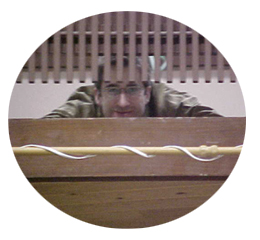
First, upload any .jpg images to a webserver someplace. Any server will do. Then come to this site and while editing any page here, include the full URL address of the images you've uploaded to that other webserver. Any URL addresses ending in '.jpg' will be displayed as images within the text of your page.
This is what happens when I type http://www.globalchicago.net/images/mjhalaska4 + .jpg (without the " + "):
How to include links to download resources documents
Do the same as photos above... upload the resource document to a webserver someplace where a website is already being hosted. Then include the URL address link on a page here. Any '.doc' or '.pdf' link will be displayed as clickable if it starts with 'http://www.globalchicago.net/imagine/imagine3.pdf'
HowToEditNow - the Giving Conference Wiki editing is now closed.